Aegis
Events
Events in the top bar (or g e) is the server’s audit log. Every change is an event: deployments, releases, rollbacks, process starts/stops/crashes, sign-ins (and failures), passwords, tokens, settings, limits, domains, backups, Aegis updates. Events are never edited or deleted.
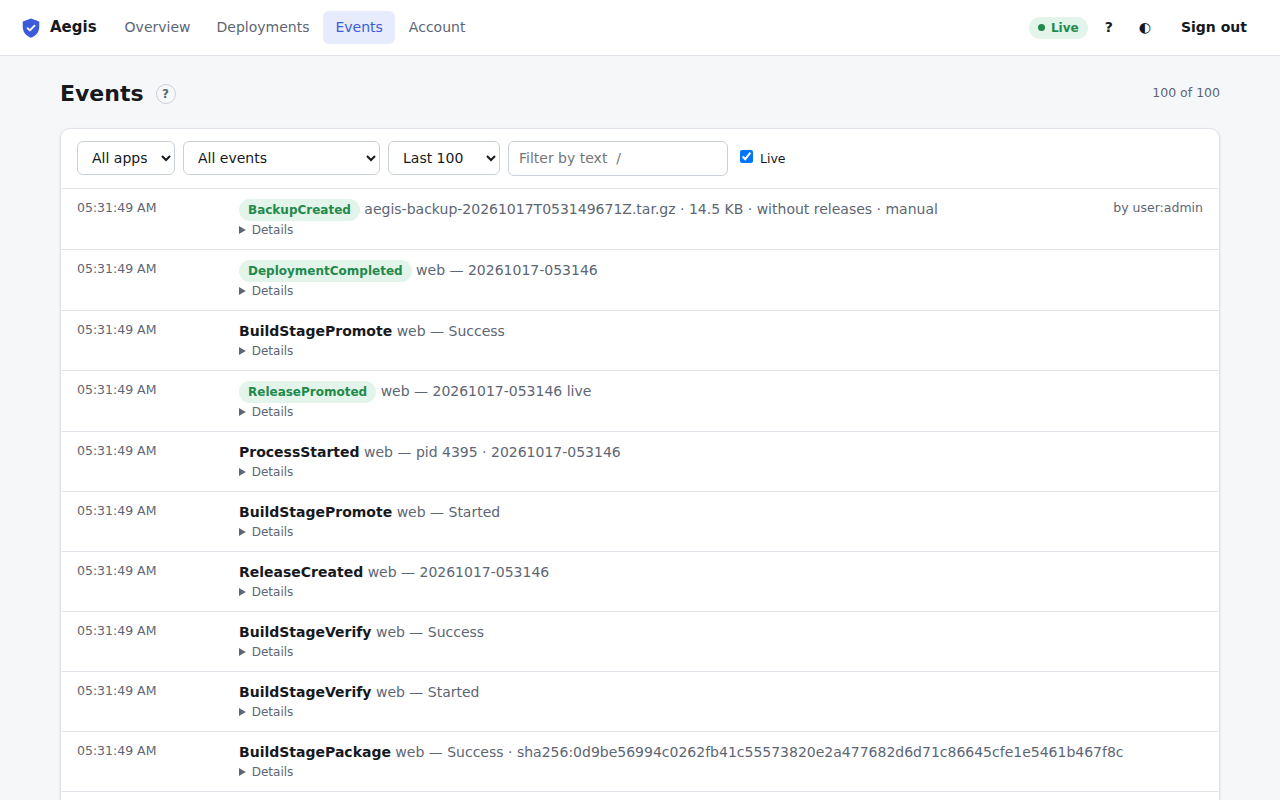
Each entry shows time, type, summary and who (by user:<name> or by token:<name>). Green is success, amber warning, red failure. Details shows the JSON data.
Paging
25, 50, 100 or 200 per page (remembered in this browser), with Previous / Next. Shown above 25 rows. Events about apps you may not see are left out, live stream included.
Filters
| Control | What it does |
|---|---|
| App | Events about one app. |
| Category | Deployments & builds, Processes, Access & security (sign-ins, passwords, tokens, webhooks), Resources & alerts, App configuration, Backups, Aegis updates, or All events. |
| Last 100 / 500 / 1000 | How many recent events to load. |
| Filter by text | Matches type and data (user, version, error). Press /. |
| Live | New events appear on top. Untick to freeze the list. |
Examples:
- Who stopped shop? Category Processes, App shop, find
ProcessStopRequested. - Failed sign-ins? Category Access & security, find
UserLoginFailed(includes the IP). - When did memory run out? Category Resources & alerts.
Event types and fields: event catalog. CLI: aegis-cli stream-events. Also the HTTP API.