Aegis
Account
Account in the top bar (or g a). Everyone sees Password and Appearance & shortcuts. Admins also see Users, API tokens and Backups. Sign out in the page header ends this browser session (on a phone, this is where Sign out is; the top bar has no room for it).
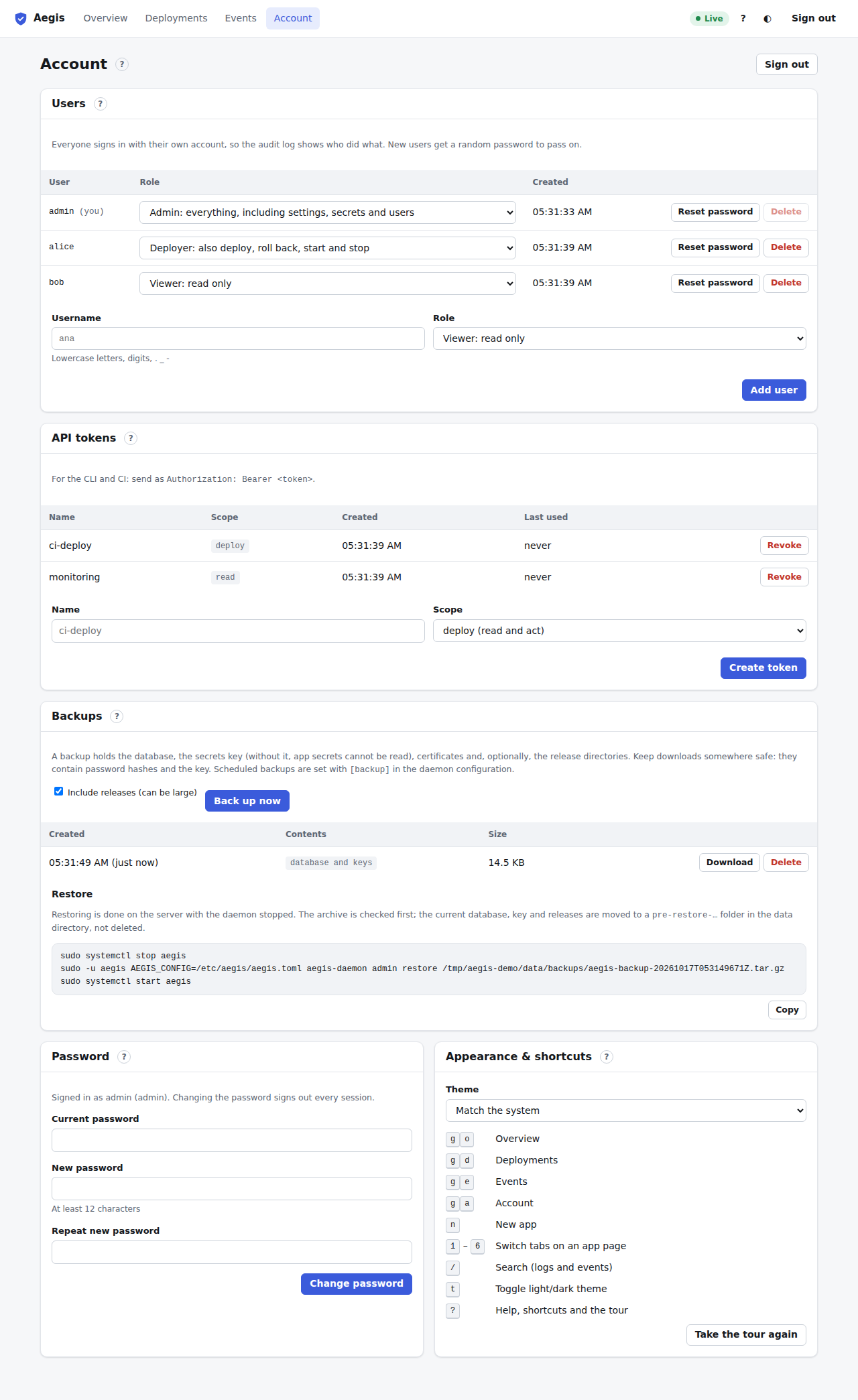
Users
Admins only. Everyone should sign in with their own account, so the audit log shows who did what.
The table lists each user with their Role, the Apps they can see, when they were created, and some buttons:
- Role menu: change it and it is saved at once. Viewer: read only; Deployer: also deploy, roll back, start and stop; Admin: everything, including settings, secrets and users. See roles.
- Apps button: opens a dialog to choose All apps (the default; includes apps added later) or Only these apps with a checkbox per app. Everything else is left out of that user’s lists, events, metrics and search, and answers “not found”. It applies to open sessions at once. Admins always see every app, so the button is disabled for them. Apps hidden behind a password only show to sessions that unlocked them.
- Docker checkbox: lets the user see Docker containers and logs. Off by default. The owner (first admin) always has it.
- Reset password: after a confirmation, the user is signed out everywhere and a new random password is shown once. Give it to them; they can change it after signing in.
- Delete: after a confirmation, the user is signed out and can’t sign in again. Their past actions stay in the audit log. You can’t delete yourself.
To add a user, enter a Username (lowercase letters, digits, ., _ and -), pick a Role, choose which Apps they can see (all by default) and click Add user. The new user’s random password is shown once.
API tokens
Admins only. Tokens are for the CLI, scripts and CI. Send one as Authorization: Bearer <token>.
- Enter a Name (for example
ci-deploy) and choose a Scope: deploy (read and act: deploy, roll back, start, stop) or read (view only). Click Create token. - Copy the token from the box that appears. It is shown only once.
- The table shows each token’s scope, when it was created and when it was last used. Revoke cuts it off immediately.
Monitoring
Admins only. Optional Prometheus metrics and a Grafana dashboard, off by default. See Monitoring.
Backups
Admins only. A backup is a .tar.gz archive with the database, the secrets key (without it, app secrets can’t be decrypted), the certificates and, optionally, the release directories.
- Tick or untick Include releases (can be large) and click Back up now.
- The table lists backups with their time, contents and size. Download saves one to your computer; Delete removes it from the server (downloaded copies are not affected).
- Keep downloads somewhere safe: they contain password hashes and the secrets key.
- Scheduled backups are configured with
[backup]in the daemon configuration (see configuration). Aegis also takes one before every update.
Restore
Restoring happens on the server with the daemon stopped. The card shows the exact commands for the newest backup, with a Copy button:
sudo systemctl stop aegis
sudo -u aegis AEGIS_CONFIG=/etc/aegis/aegis.toml aegis-daemon admin restore /path/to/aegis-backup-….tar.gz
sudo systemctl start aegis
The archive is checked first. The current database, key and releases are moved to a pre-restore-… folder in the data directory, not deleted. See disaster recovery.
Password
Enter your Current password, a New password (at least 12 characters) and repeat it, then Change password. Every session of yours is signed out, including this one, so sign in again with the new password.
Appearance and shortcuts
- Theme: Match the system, Light or Dark. It is remembered in this browser. The ◐ button in the top bar and t toggle it.
- The list of keyboard shortcuts.
- Take the tour again replays the first-run tour.