Aegis
Deploy tab
Tab 1 of the app page (1): start deployments and watch the latest one.
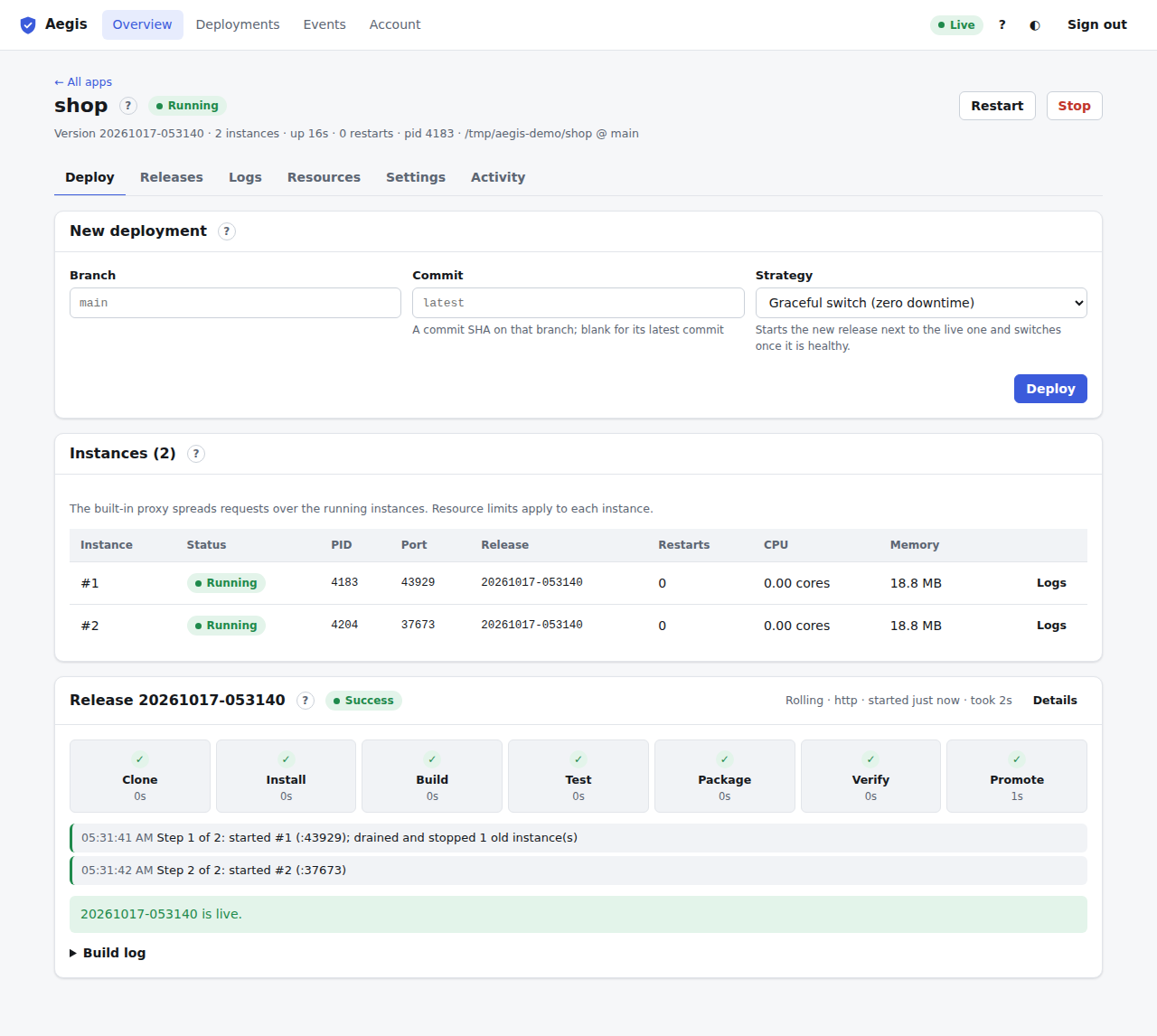
New deployment
| Control | Meaning |
|---|---|
| Branch | Git apps. Blank uses the app’s branch. |
| Commit | Git apps. A SHA on that branch; blank is the latest. |
| Strategy | How the new release replaces the live one. Starts at the default from Settings. |
| Deploy | Queues it (deployers, admins). |
Directory apps show which directory is copied instead of Branch and Commit.
Strategies
| Strategy | What happens |
|---|---|
| Graceful switch (default) | Starts the new release beside the live one, switches when healthy. No downtime. |
| Immediate | Stops the live release first; requests fail until the new one is up. For apps that can’t run twice (lock, fixed port). |
| Rolling | Replaces instances in batches. Needs a domain on the built-in proxy. |
| Blue-green | Starts a full new set, switches all traffic, keeps the old set for a while for instant rollback. Needs a domain on the built-in proxy. |
New changes
Says whether the live release is behind its source:
- Repository apps: N new commits on
<branch>, with commits (SHA, message, author, when) and changed files (grouped apps: only their watch paths). Deploy latest deploys the newest commit; grouped apps deploy with their group. - Folder apps: whether the folder’s git HEAD is newer (N new commits in the folder) and how many files are uncommitted. Deploy the folder copies it as it is.
- Up to date, Not deployed yet, or a warning when the check failed (e.g. deploy key missing). A failed check never blocks a deployment.
Checked every few minutes ([apps] update_check_minutes, default 5), after each webhook, and on Check now (deployers). The Overview shows a badge (3 new commits) per app and group.
Deployment progress
The latest deployment, live, including ones started elsewhere (CLI, webhook, schedule).
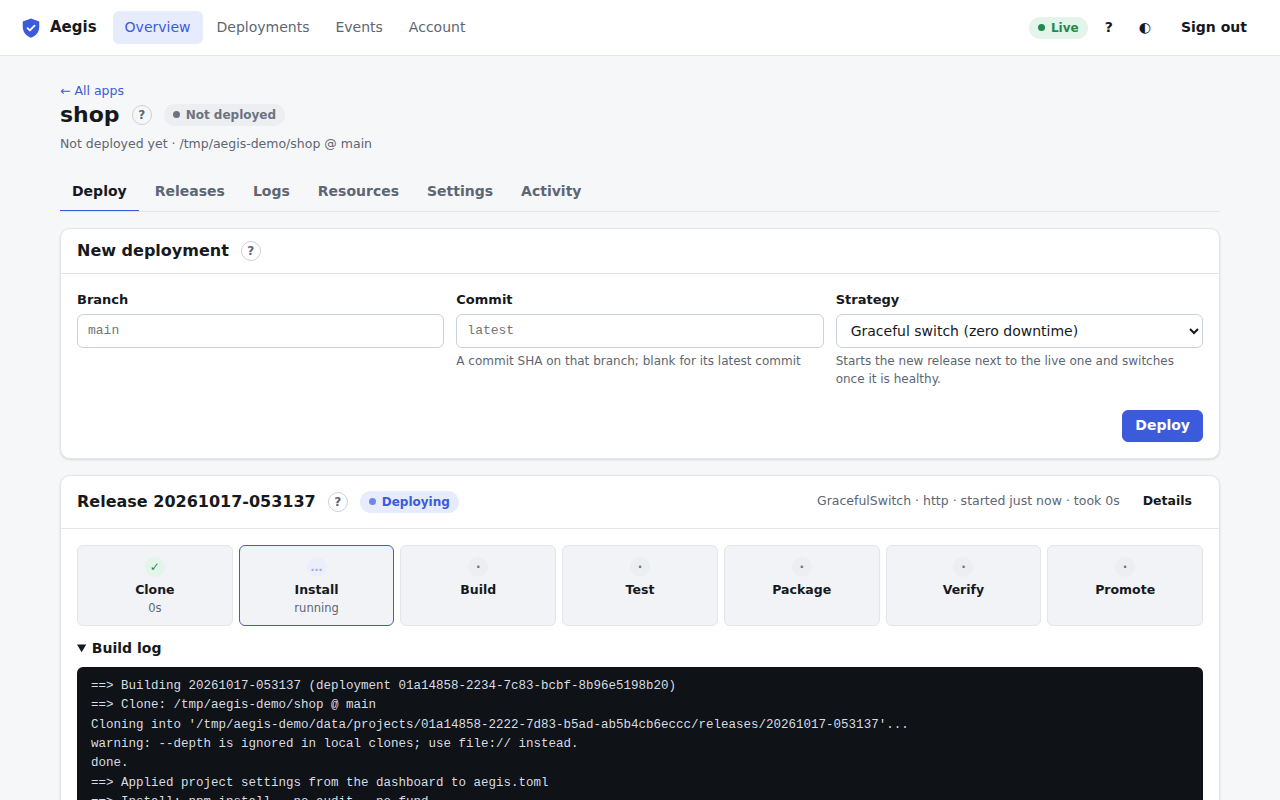
- Header: release name, status (Queued, Deploying, Success, Failed, Rolled back), strategy, trigger, start, duration. Details opens the deployment page.
- Stages: Clone, Install, Build, Test, Package, Verify (start the release, wait for its health check), Promote (send traffic). Each shows ✓ done, … running, – skipped, ✕ failed, · not reached, plus time. Hover for detail.
- Rollout steps: for Rolling, Blue-green and multi-instance apps: instances started, old ones drained, traffic switch, how long the old release is kept.
- Outcome: green “… is live”, or a red error. If the health check fails, the previous release keeps serving.
- Build log: all build output; open while running and after a failure; follows new output.
Instances
Multi-instance apps show an Instances card. See Docker apps and instances.