Aegis
Docker apps and instances
Docker apps
An app with [run] runtime = "docker" in aegis.toml runs in a container (see Docker runtime). The dashboard works the same, except:
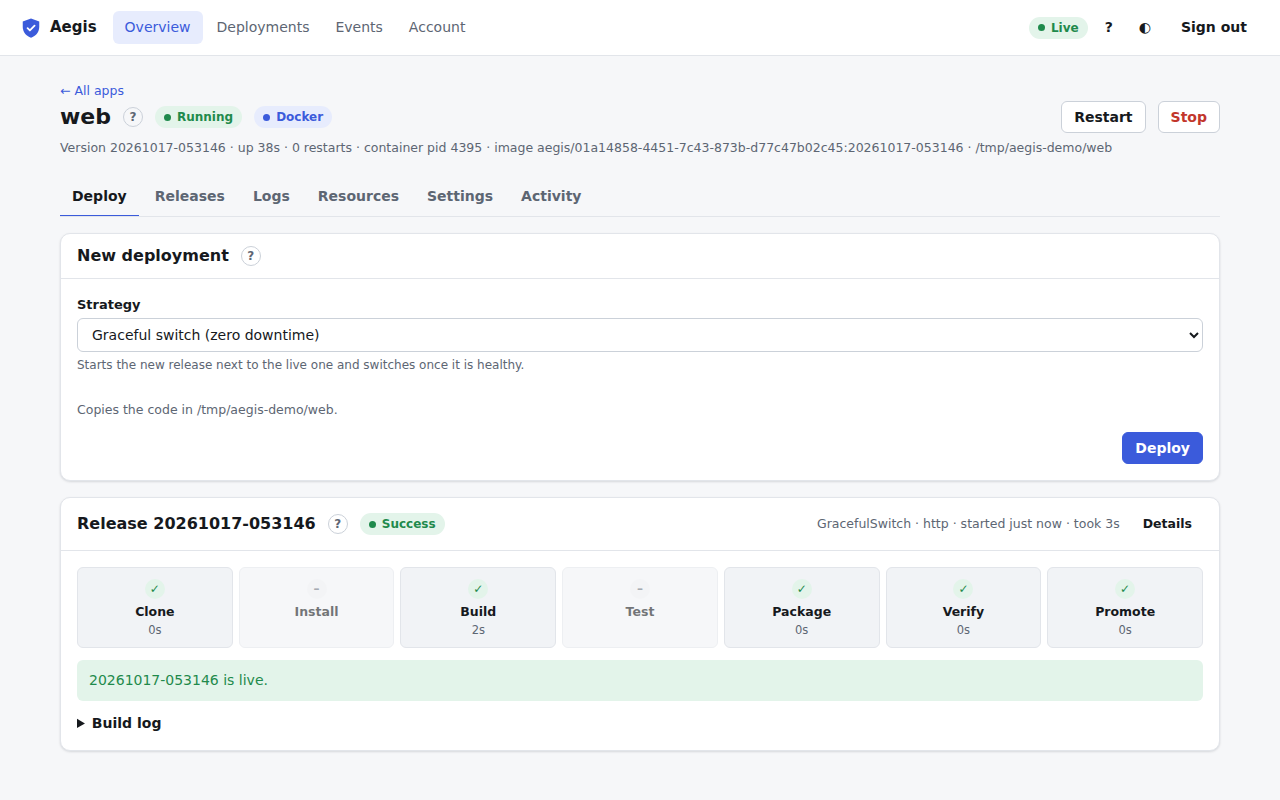
- Header: blue Docker pill (hover for the image); subtitle shows
container pidandimage aegis/<project id>:<release>. - Settings → About → Runs as: Docker container with the image.
- Build runs
docker build(or pulls the image); output is in the build log. - Logs, Start / Stop / Restart, Resources and rollback work as usual. Docker applies limits; Resources says if Docker is unusable.
If Docker is missing or unreachable, the deployment fails at Build with the reason (e.g. “Docker is not installed”).
Instances
An app can run several copies behind the built-in proxy. Set Instances in Settings → Build & run and map a domain. The proxy spreads requests over running instances.
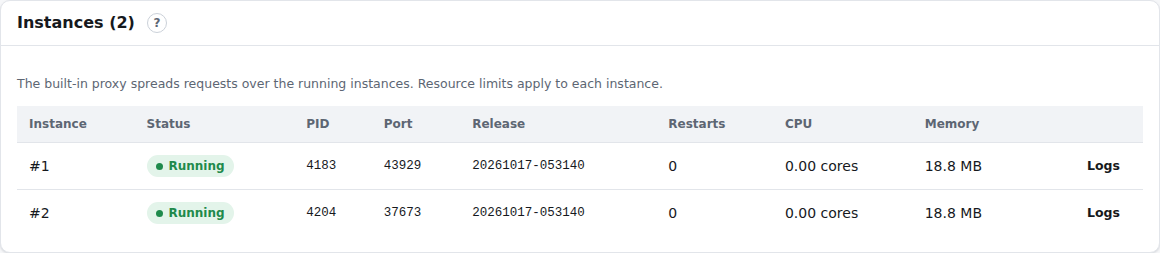
With more than one instance, the Deploy tab shows an Instances card:
| Column | Meaning |
|---|---|
| Instance | #1, #2, … |
| Status | Process state. |
| PID / Port | Process id and the port the proxy uses. |
| Release | Release it runs (mixed during Rolling). |
| Restarts / CPU / Memory | Per instance; limits apply to each. |
| Logs | That instance’s log. |
After Blue-green, a blue note says the previous release keeps running until a given time; rolling back before then is instant.
Also: Restart goes one instance at a time; the pipeline shows rollout steps; Logs has an Instance menu; Resources shows the total.