Aegis
App page
Click an app’s name to open its page (#/apps/<name>). ← All apps returns to the Overview.
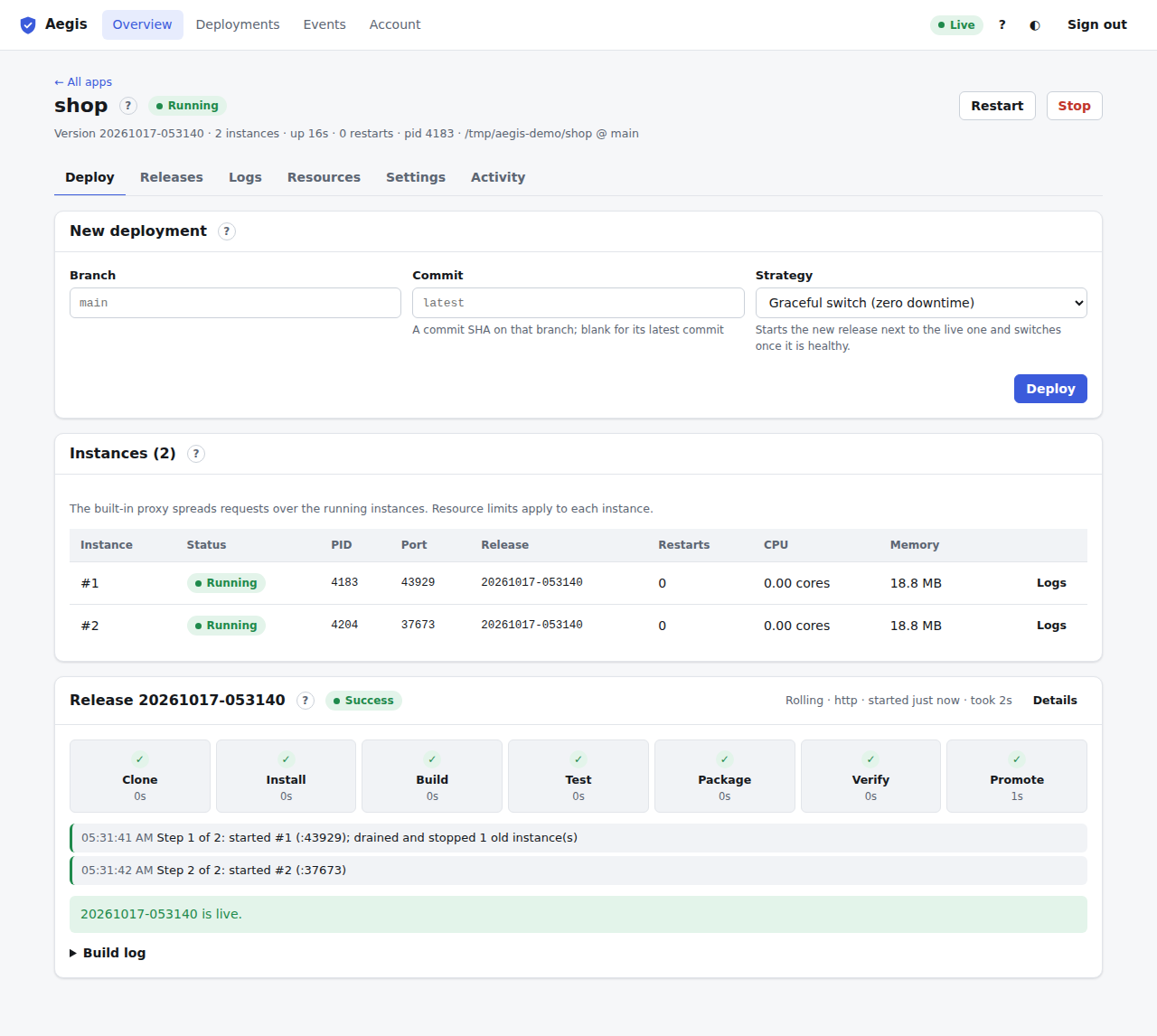
Header
- Name and status: same pill as the Overview. Docker apps add a blue Docker pill (hover for the image; see Docker apps).
- Start / Stop / Restart: deployers and admins. Stop and Restart ask first. With several instances, Restart goes one at a time.
- Subtitle: live version, instances, uptime, restarts, process id, Docker image, source.
Tabs
| Tab | Key | Shows |
|---|---|---|
| Deploy | 1 | Start a deployment; latest pipeline; instances. |
| Releases | 2 | Kept releases; rollback. |
| Logs | 3 | Live output, search, download. |
| Resources | 4 | CPU and memory; limits. |
| Settings | 5 | Build and run, domains, secrets, schedule, webhook. |
| Activity | 6 | This app’s audit log. |
Each tab has its own address (e.g. #/apps/shop/logs).
Who can do what here
| Viewer | Deployer | Admin | |
|---|---|---|---|
| See every tab | ✓ | ✓ | ✓ |
| Start, stop, restart | ✓ | ✓ | |
| Deploy, roll back | ✓ | ✓ | |
| Change settings, domains, secrets, schedule, webhook, limits | ✓ | ||
View aegis.toml |
✓ | ✓ | ✓ |