Aegis
New app
+ New app on the Overview (or n) opens a two-step wizard. Admins only.
1. Source
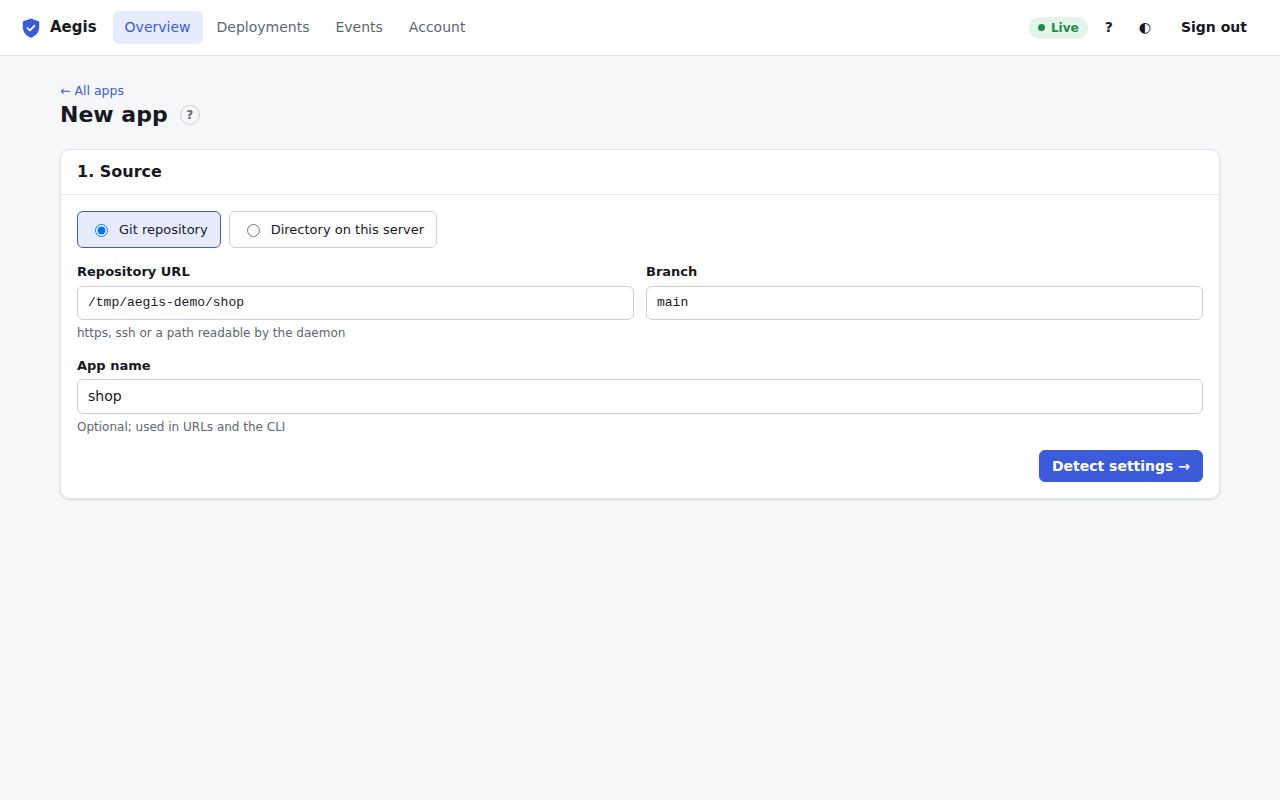
- Git repository: Repository URL (https, ssh, or a server path the daemon can read) and Branch (
main). Each deployment clones that branch or a chosen commit. - Directory on this server: the path. Each deployment copies it as it is.
- Scan a folder on the server: imports several existing apps; see below.
App folder in the source (optional, monorepos): only that folder (e.g. apps/web) is built and run. It must build on its own; files outside it are not in the release.
App name (optional) defaults to the repository or directory name. It appears in URLs and CLI commands (aegis deploy shop).
Detect settings → finds the runtime (Node.js, Python, Rust, Go, Bun or Deno) and suggests commands. An aegis.toml in the code wins over detection.
Private repositories
If Aegis can’t read a GitHub repository, it asks GitHub (without credentials) whether it is public. If not, Create the app and set up a deploy key creates the app (no deployment) and shows the deploy key panel, same as Settings → Repository:
- Generate deploy key: Ed25519 pair; the private key stays encrypted on the server.
- Copy the public key, open the repository’s Add deploy key page (
https://github.com/<owner>/<repo>/settings/keys/new), paste it, leave Allow write access unticked, Add key. - Test access: runs
git ls-remote; shows the result or git’s error and fix. - Detect settings → clones with the key and goes to step 2.
With a key, https://github.com/… is cloned over SSH (git@github.com:owner/repo.git); deploy keys only work over SSH. For other git servers use an SSH URL and add the host key to [git] known_hosts_file (configuration).
2. Review
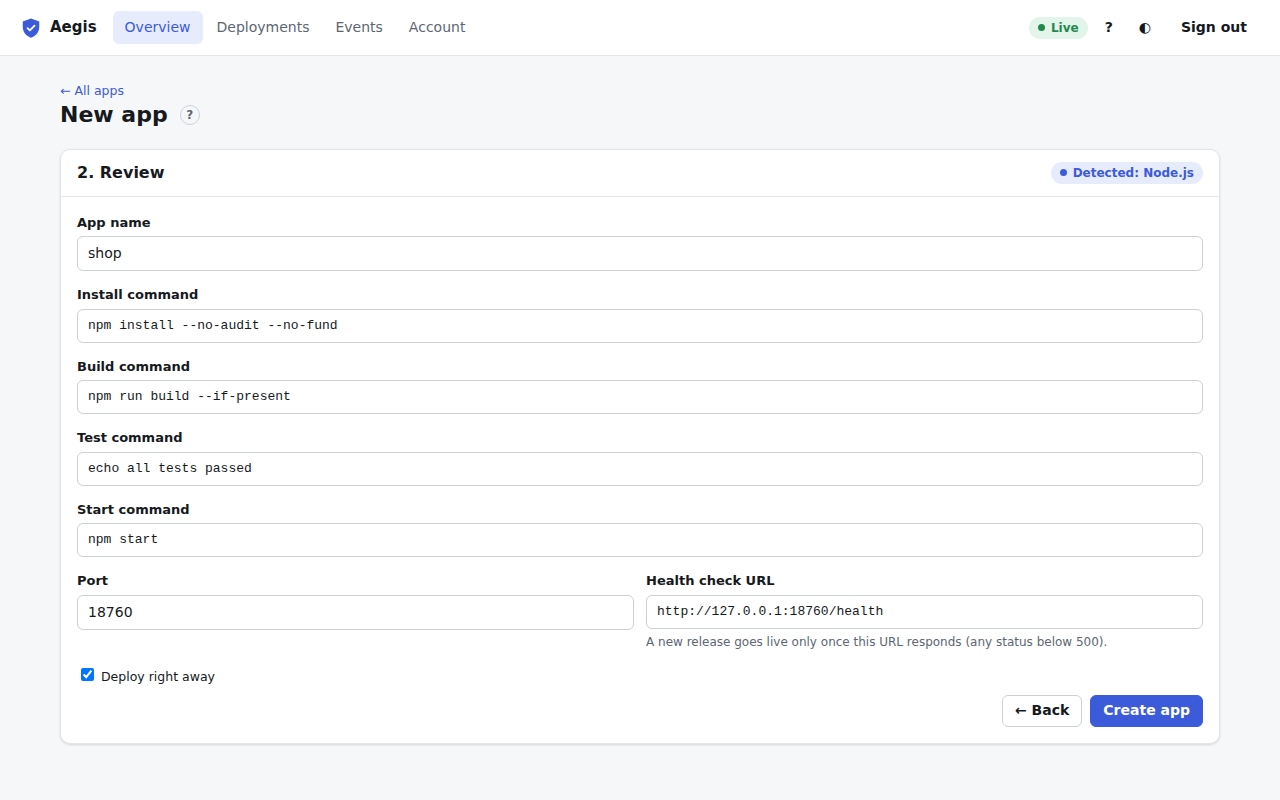
The header pill says what was detected.
| Field | Meaning |
|---|---|
| App name | Required. |
| Install command | Installs dependencies, e.g. npm ci. |
| Build command | e.g. npm run build. |
| Test command | A failure stops the deployment before go-live. |
| Start command | e.g. node server.js. |
| Port | Where the app listens; also given as PORT. |
| Health check URL | A release goes live only when this answers below 500, from the new release (see Ports and health checks). Changing Port updates it. |
Hard-coded ports. If the package.json start script fixes its port (next start -p 4000, --port 4000, PORT=4000 node server.js), a note appears and the start command is changed to read $PORT (npx next start -p $PORT), with Port 4000. Every release gets its port in PORT (its own behind the built-in proxy); an app that ignores it can’t switch without downtime.
Only values you (or the wizard) changed are saved; the rest keeps following aegis.toml and auto-detection. All can be changed later in Settings.
Leave Deploy right away ticked to deploy at once. Create app opens the app page with the pipeline on the Deploy tab. ← Back returns to step 1.
Scan a folder on the server
For servers already running apps from git checkouts (e.g. PM2 in /opt/github/<repo>): finds them and imports the ones you pick, without deploying. The folder must be allowed in the daemon configuration ([apps] import_dirs, or env_file_dirs; see configuration). Allowed folders are listed under the path field.
Enter a folder, Scan →. Aegis looks two levels deep for app folders (with package.json, pyproject.toml, requirements.txt, Cargo.toml, go.mod, pom.xml, build.gradle, Dockerfile or aegis.toml), including monorepo apps in apps/, packages/, services/. Read-only; see what it reads.
| Column | Meaning |
|---|---|
| ☐ | Import this app. Already registered apps (same repository, branch, folder, or directory) say Already imported as … and can’t be selected. |
| Name | Editable; defaults to the folder name (<repo>-<app> in monorepos). |
| Source | Folder, the checkout’s origin URL and branch (credentials dropped), and Clone the repository or Copy this folder per deployment. Check asks GitHub if it is public; private needs a deploy key. |
| Start command / Port | Editable. A fixed port is already changed to $PORT. |
| Env file | The app’s .env with variable names only. Tick to use it as the Env file (its folder must be in [apps] env_file_dirs). |
| Warnings | Port in use (probably the current PM2 copy), deploy key needed (SSH) or may be private (GitHub HTTPS), .env not readable (fix: chgrp aegis … && chmod 640 …), hard-coded port, no remote. |
Import selected registers the apps (never deploys) and lists next steps: add a deploy key for private repos, set the Env file or Variables/Secrets, map a domain so each release gets its own port, stop the old process if it holds the port. Then deploy each app.